Buy Steam gift card online
Buy a Steam gift card online. Select the amount, complete your payment, and instantly receive the gift card code via email.
Select country
Steam gift cards are currently not available in United States.
#protip
Steam gift cards are region-locked. Steam actively monitors accounts and won't allow redemption outside the issuing country, including via VPN. We can't offer refunds for codes redeemed outside the issuing region.

About Steam gift cards
Steam is a digital distribution platform for video games with an extensive library of games, software and other digital content. Buy a Steam gift card online on Koomalooma, whether you're a dedicated gamer or looking for the perfect gift for a gaming enthusiast.
How to buy a Steam gift card online?
How to buy a Steam gift card on Koomalooma:
How to redeem your gift card
Redeem your Steam gift card in 3 steps
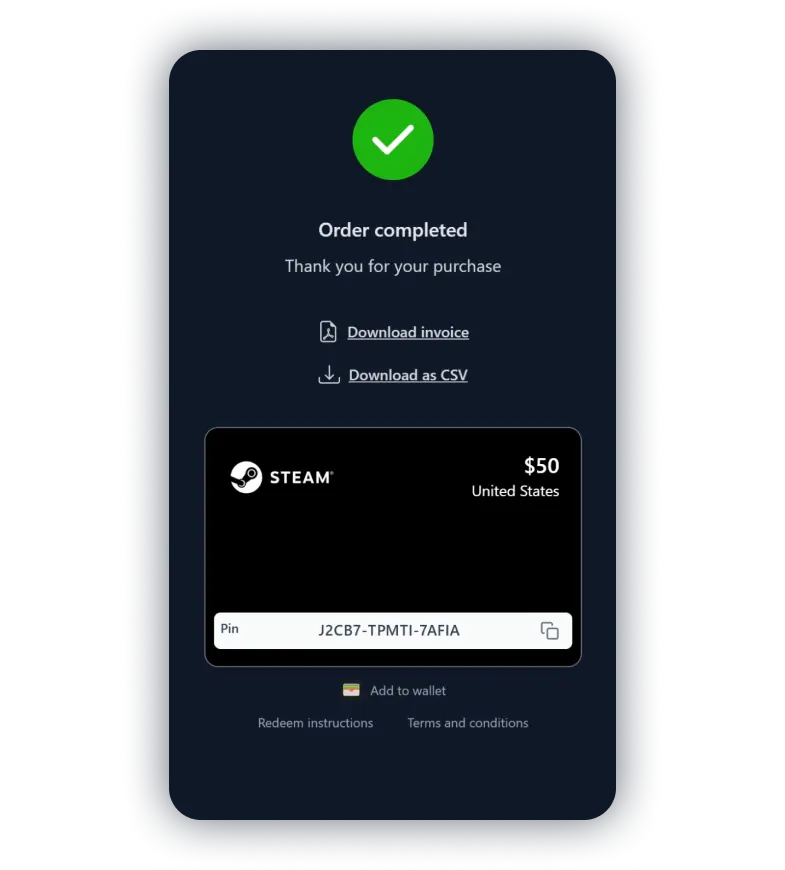
Copy the gift card code
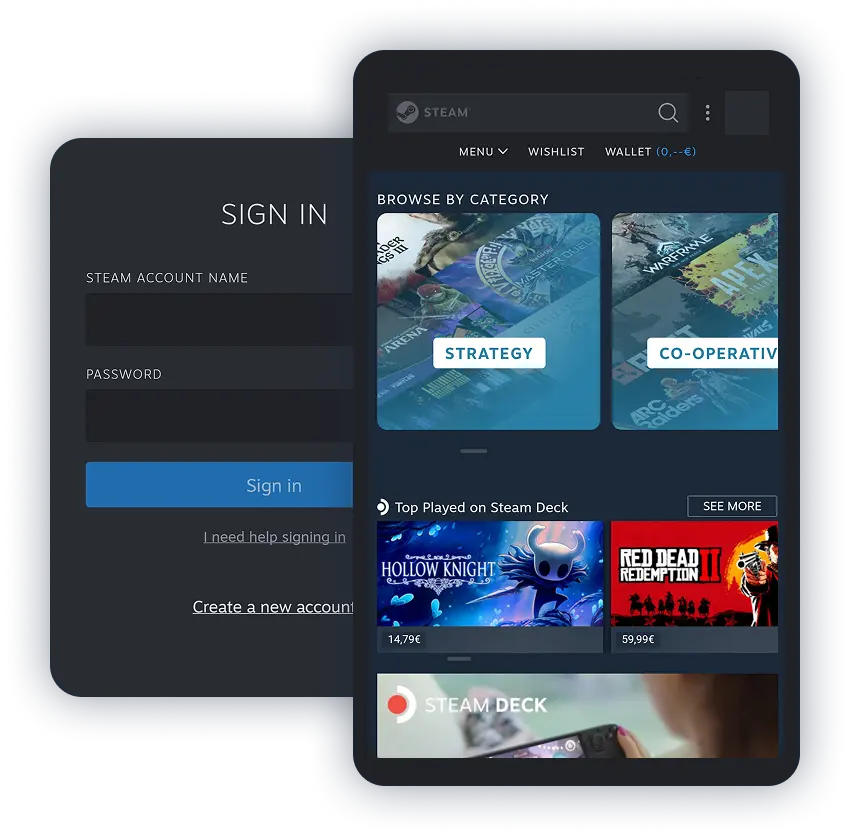
Open the Steam app and go to your Wallet
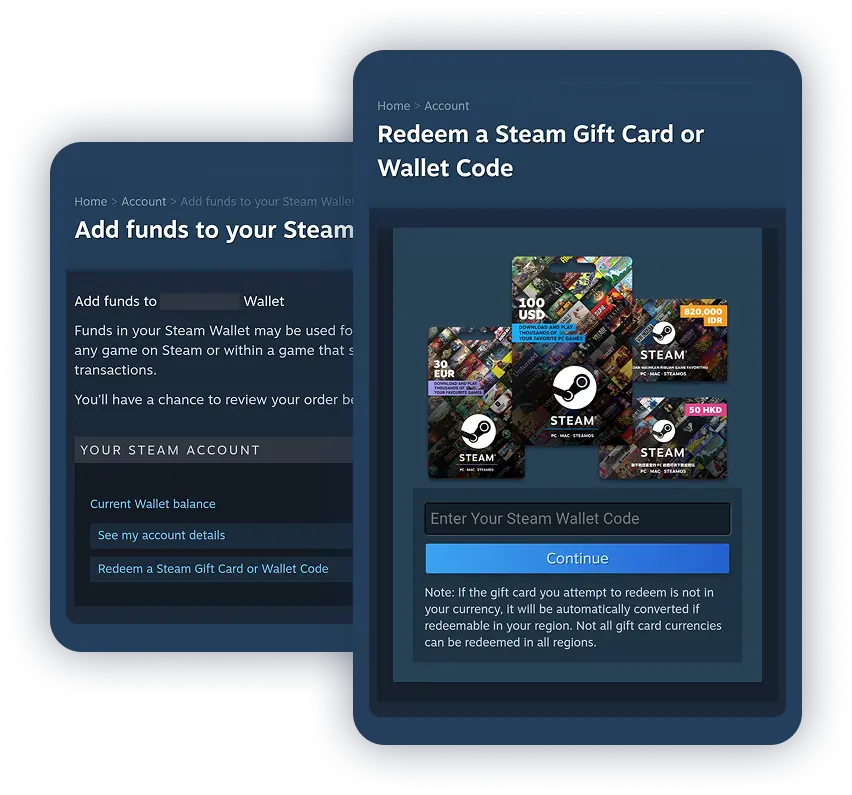
Redeem your gift card code
Frequently asked questions
- Koomalooma is an online gift card retailer with fast checkout and multiple payment options. Select an amount, pay securely, and receive your code instantly.
- Yes. A free Koomalooma account is required to buy a Steam gift card. Registration takes a minute, then your Steam gift card code arrives by email.
- You can buy Steam gift cards online on Koomalooma, then redeem the code to add funds to your Steam Wallet.
- The easiest way to redeem the voucher is to use the Steam client. After starting the client, go to the navigation menu and select 'Games'. Select 'Redeem a Steam voucher code' to top up your account.
- The gift card code you receive on Koomalooma is valid for at least 2 years.